Inquiry Assist
Auto Fill Contact Form
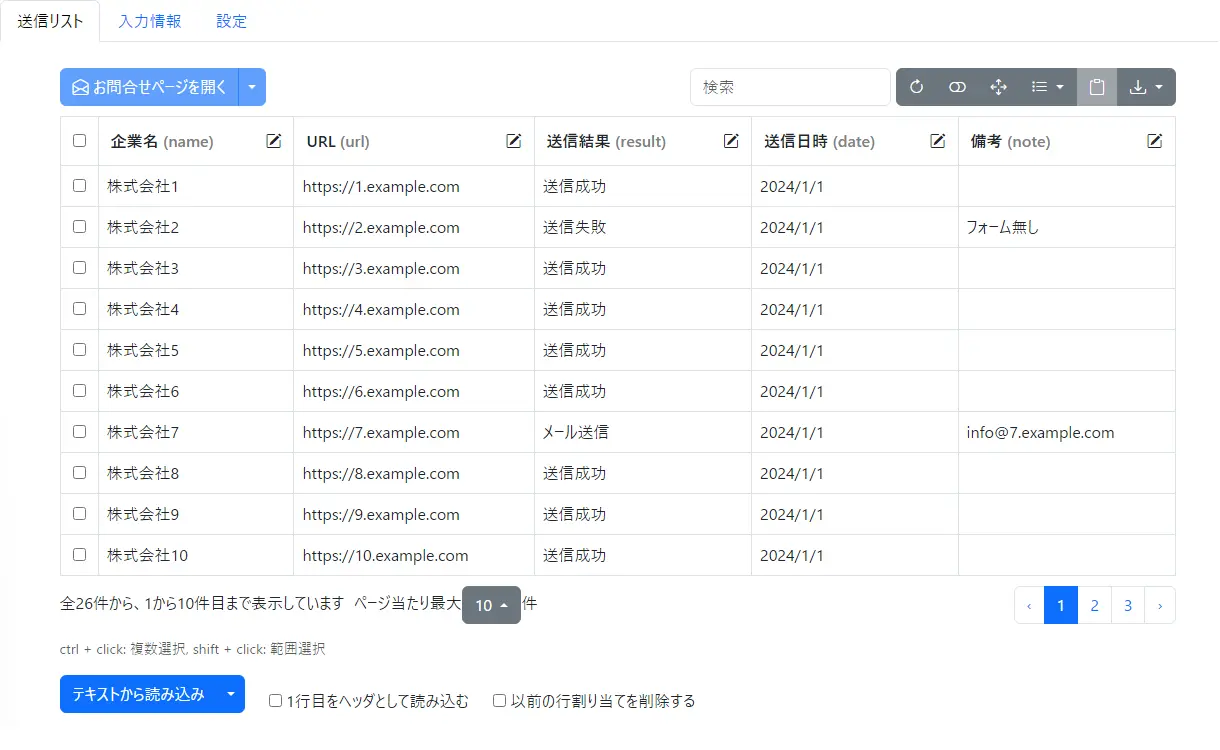
Key Features
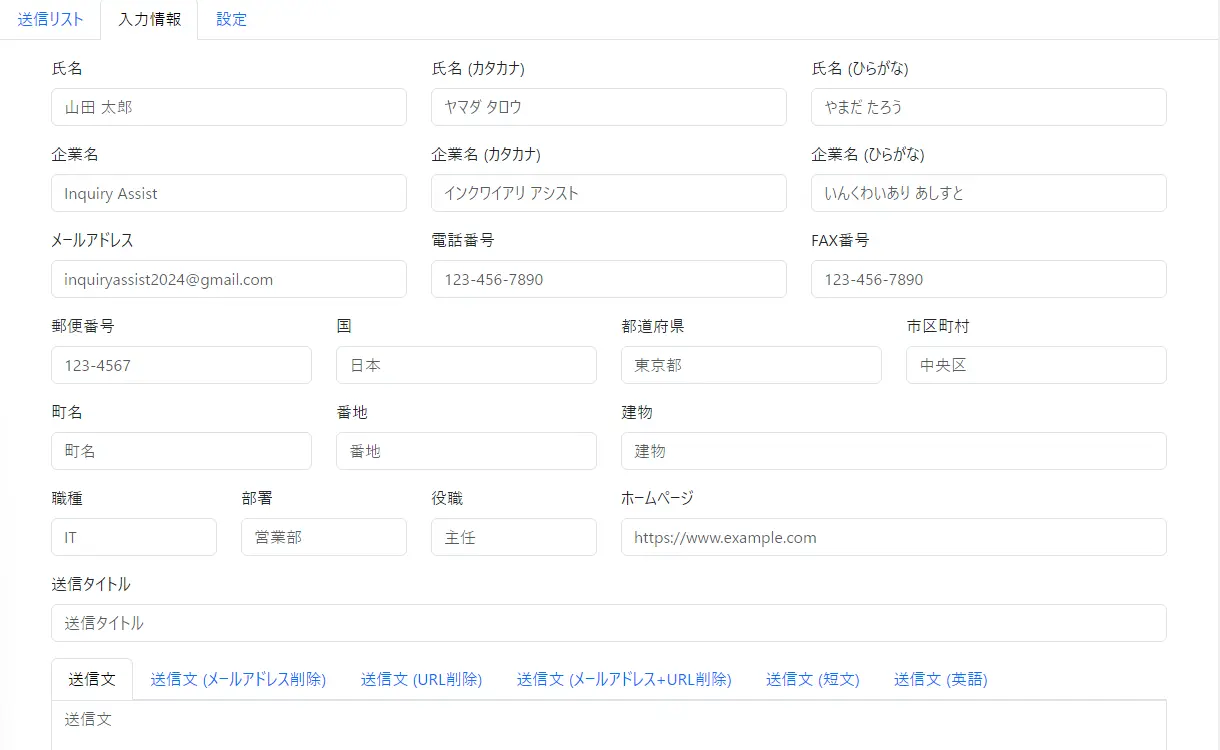
Automate filling out inquiry forms with simple settings.
Automate opening inquiry forms from a company list.
Insert personalized information into inquiry messages.
View past input history.
Features
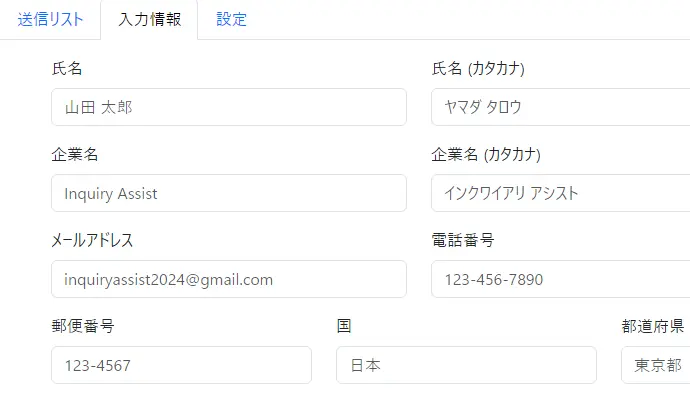
Automatic Input
You can automatically fill in the following fields:
- Name
- Name (Katakana)
- Company Name
- Company Name (Katakana)
- Email Address
- Phone Number
- FAX Number
- Zip Code
- Address
- Department
- Position
- Company URL
- Subject
- Message
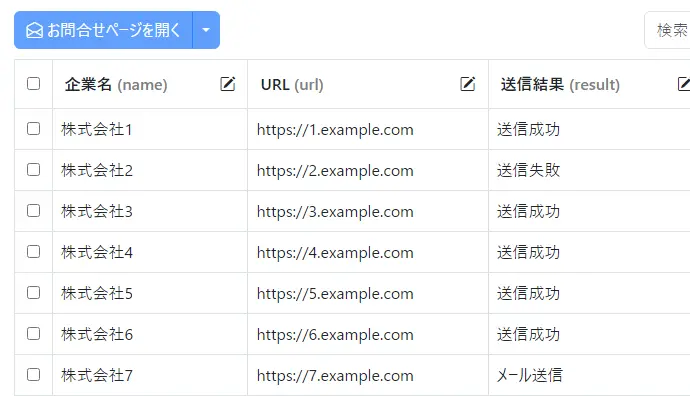
Inquiry List Management
Import and manage your inquiry lists in a table.
The following actions are available in the table:
- Import and export lists
- Filter information by sending results, etc.
- Detect inquiry pages
- Open inquiry pages in new tabs
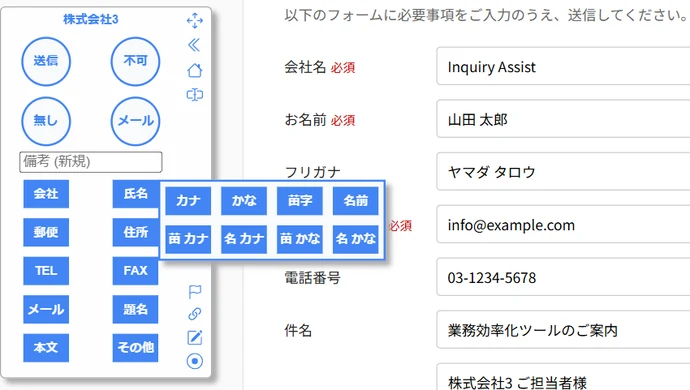
Input Assist Panel
A panel appears on the left edge of the page, allowing you to record sending results, copy input information, check past input, and more.
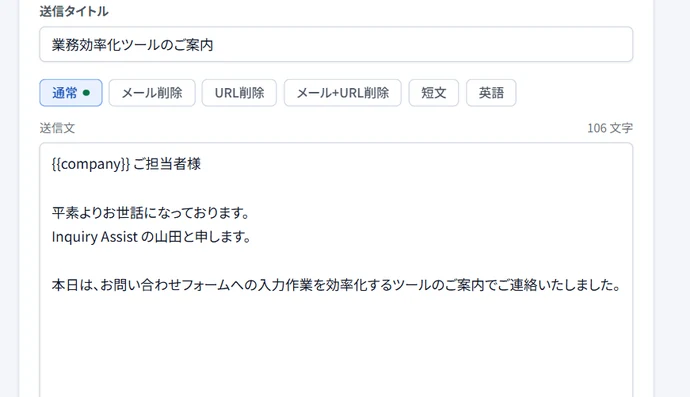
Message Replacement
Text enclosed in {{ and }}, such as {{company}}, will be replaced with corresponding values from your inquiry list. This allows you to include company names or specific product names in your messages.
Additionally, based on past sending history, the tool can automatically enter appropriate messages, such as a version with the email address removed.
Download/Install
Go to the Chrome Web Store
Price: 680 JPY/month
(First 7 days free)